- Can I connect multiple Zoom accounts?
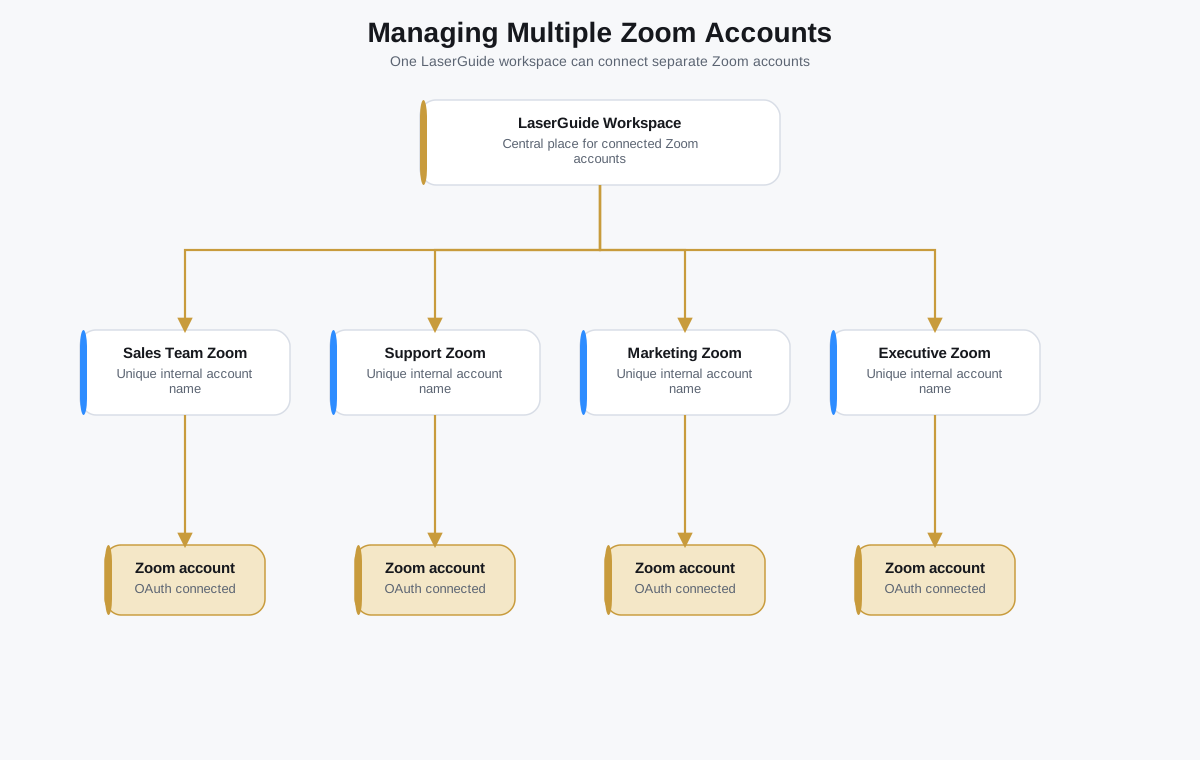
- Yes. A workspace can connect multiple Zoom accounts when different teams or meeting owners need separate meeting hosts.
- Can I disconnect anytime?
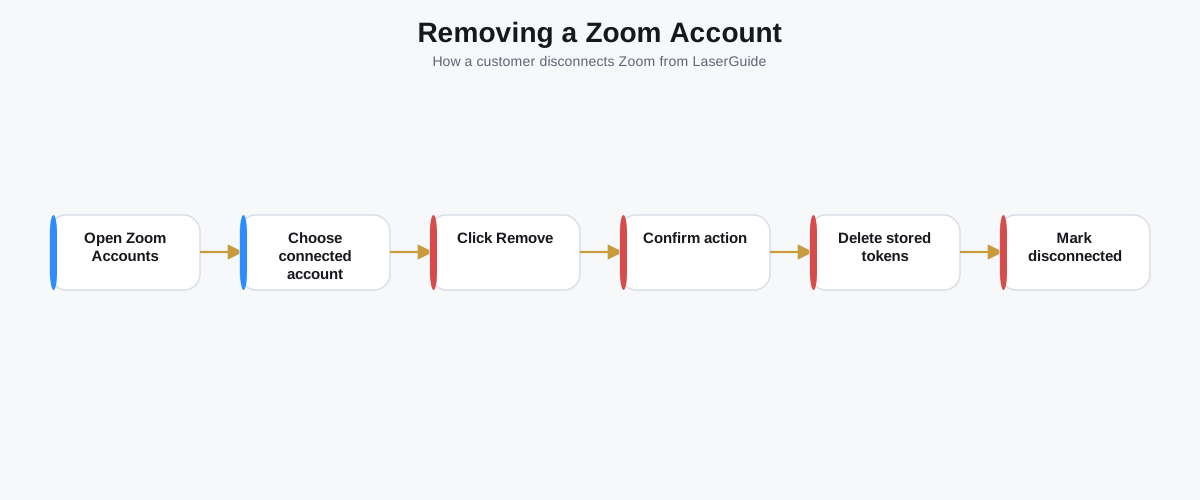
- Yes. Remove the Zoom account from LaserGuide Settings when you no longer want LaserGuide to use it.
- Does LaserGuide know my Zoom password?
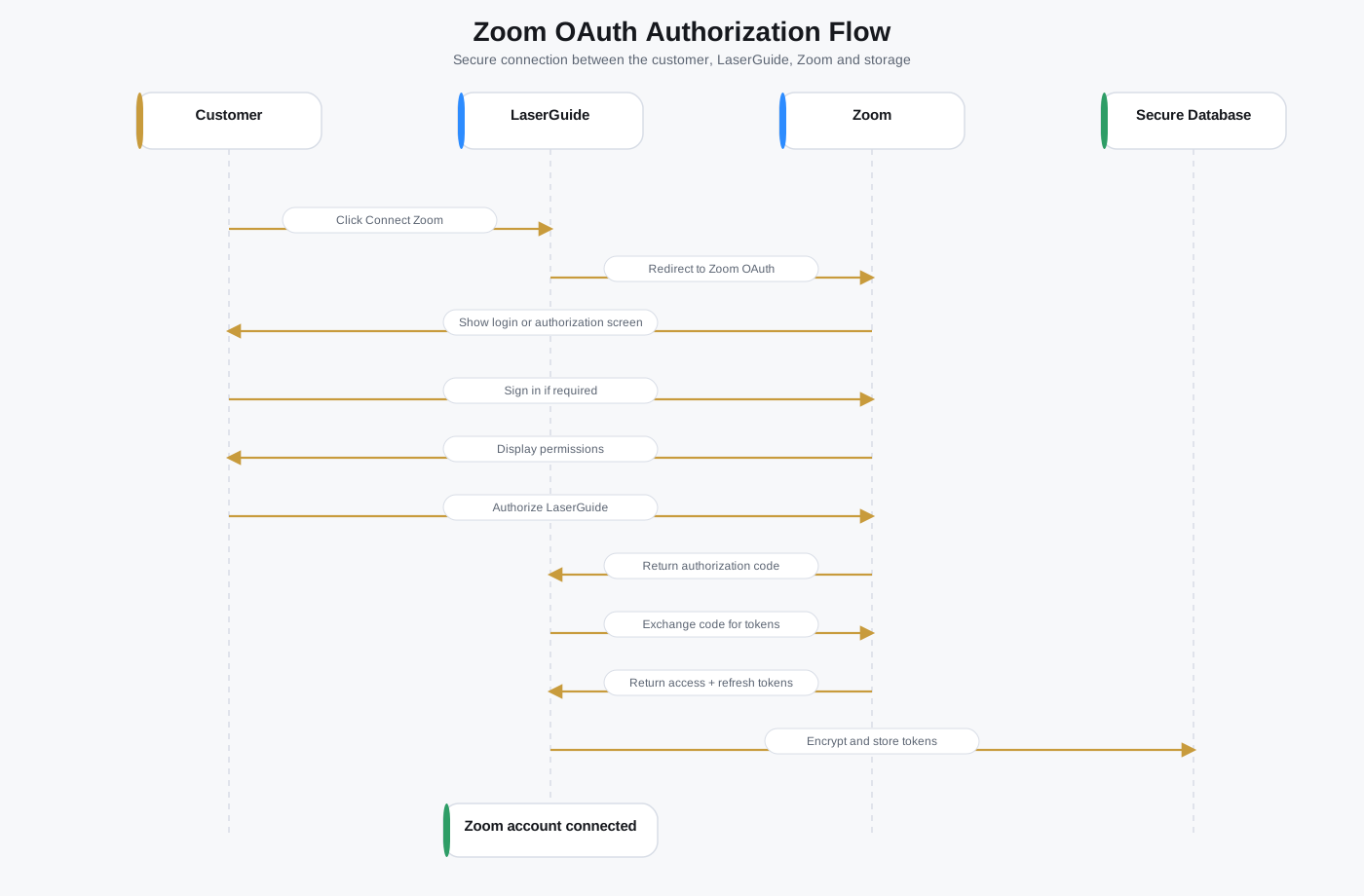
- No. Zoom login happens on Zoom's website, and LaserGuide never receives your password.
- Can LaserGuide join meetings?
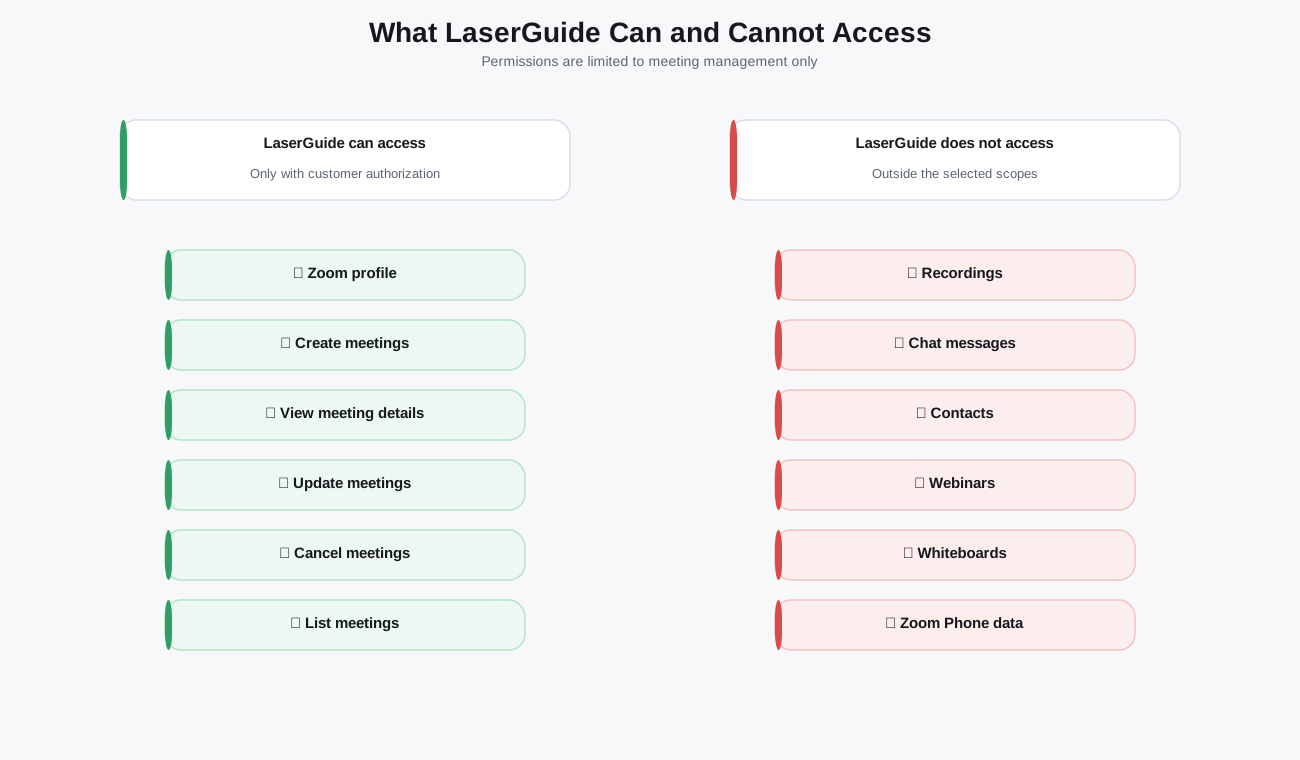
- No. The integration is for meeting creation and management, not for joining meetings as a participant.
- Can LaserGuide record meetings?
- No. LaserGuide does not access or create Zoom recordings in the current integration.
- Can I reconnect later?
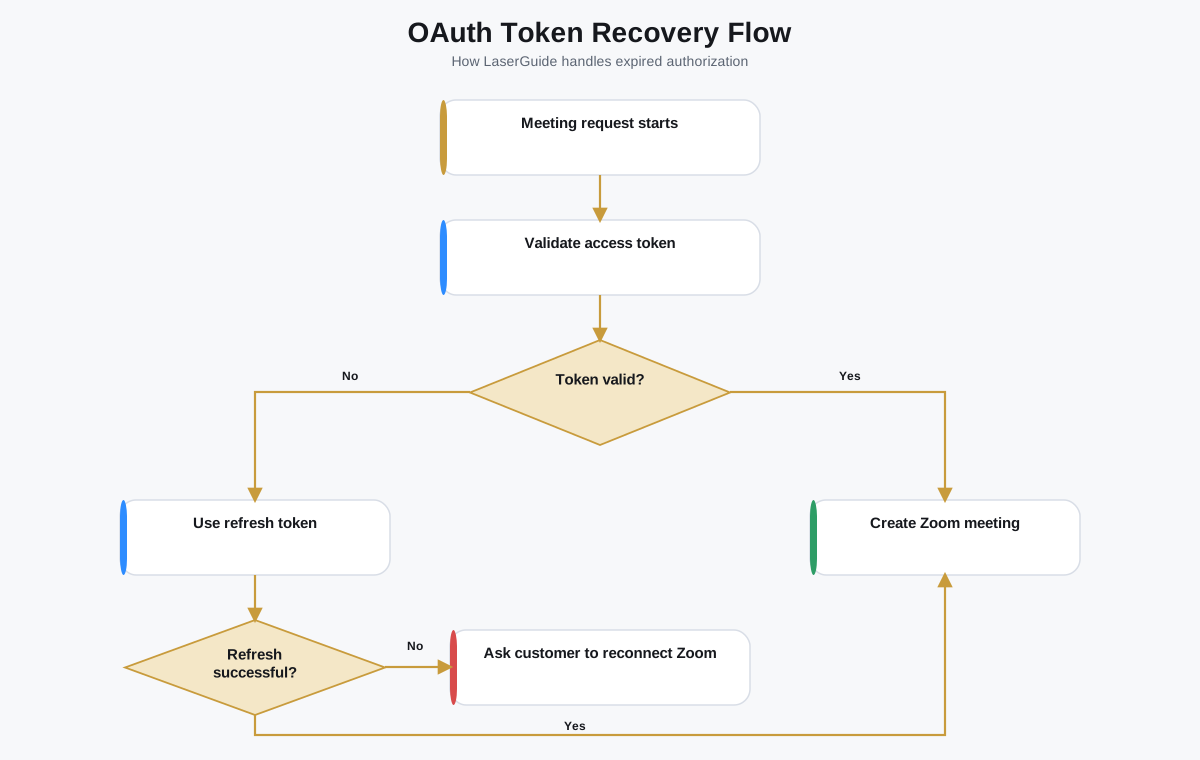
- Yes. You can reconnect an account if authorization expires, is revoked, or needs to be refreshed.
- Why do I see Authorization Failed?
- During Marketplace review, only approved development-organization accounts can complete OAuth. It can also happen when a session expires or an admin blocks authorization.
- Can I change the account name?
- Yes, when account editing is available in your workspace. The name is internal to LaserGuide and does not rename your Zoom account.
- What happens if my Zoom subscription expires?
- Zoom may limit meeting capabilities according to your Zoom plan. Update your Zoom subscription or select another connected account if meeting creation fails.
- Does LaserGuide access my contacts?
- No. The current Zoom integration does not access Zoom contacts.
- Does LaserGuide access chat messages?
- No. The current integration does not access Zoom chat messages.
- Does LaserGuide access webinars?
- No. Webinars are not part of the current LaserGuide Zoom workflow.
- Does LaserGuide access cloud recordings?
- No. Cloud recordings are not accessed by the current integration.
- Who should connect the Zoom account?
- Use the team or individual account that should host the meetings created from LaserGuide.
- Can an admin connect a shared team account?
- Yes, if the admin can sign in to that Zoom account and authorize the application.
- Can I use Zoom with Google Calendar or Outlook?
- Yes. Zoom can be used alongside calendar integrations when your workflow uses calendars for availability or event tracking.
- Can I use Zoom with Calendly?
- Yes. Calendly can support scheduling flow while Zoom provides the meeting link, depending on the workspace configuration.
- What happens to historical meetings if I remove Zoom?
- Historical LaserGuide records may remain for reporting and audit context. Future meeting actions will no longer use the removed account.
- Will removing Zoom delete all Zoom meetings?
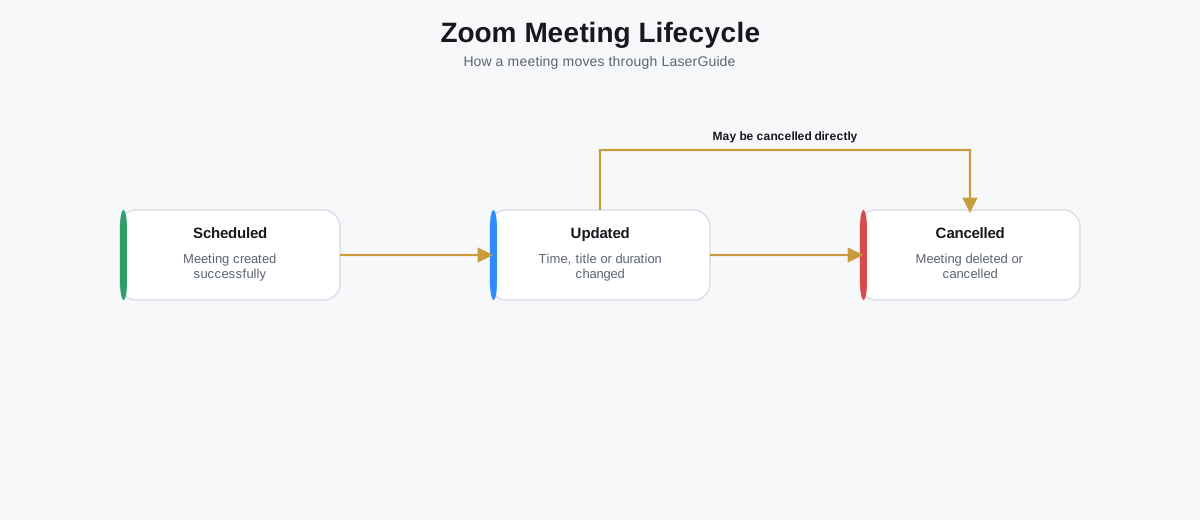
- No. Removing the account disconnects LaserGuide. Existing Zoom meetings are not automatically deleted unless a meeting cancellation action is performed.
- How do I know which account created a meeting?
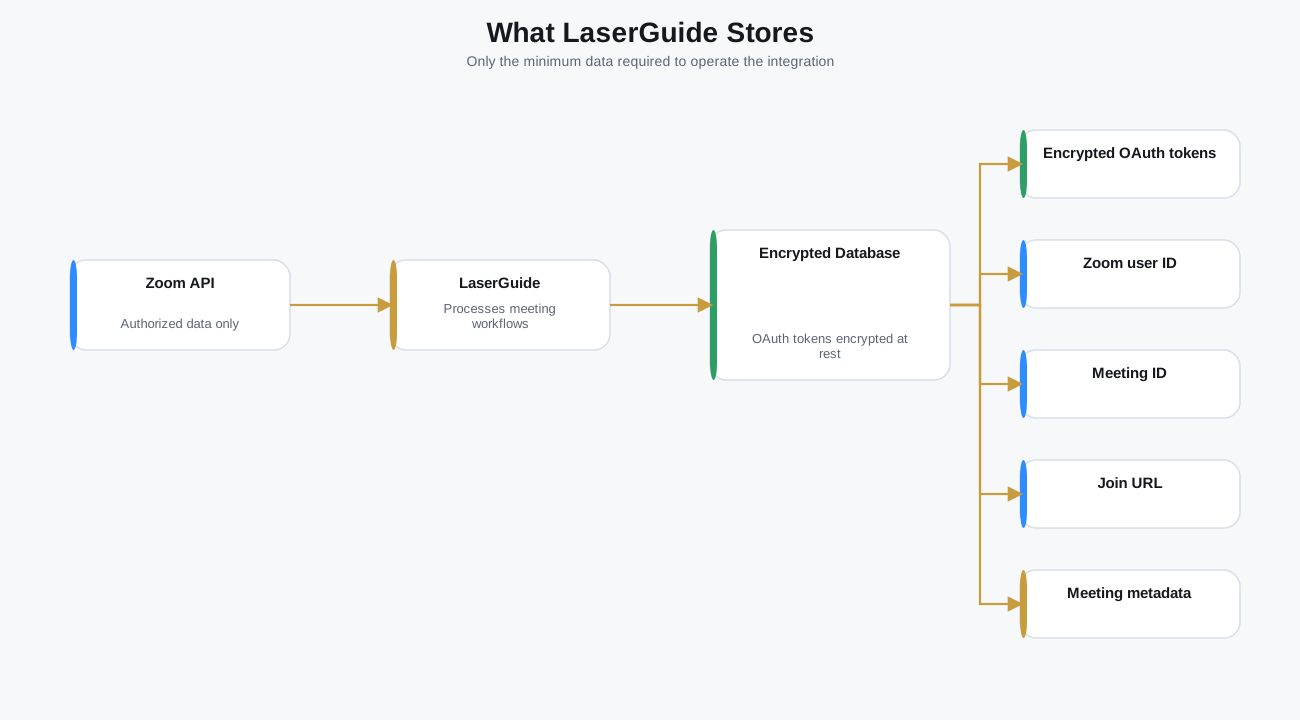
- Use the connected account name and the meeting metadata shown in LaserGuide to identify the account used for the workflow.
- What should I do before contacting support?
- Check the selected Zoom account, reconnect authorization, confirm the meeting still exists in Zoom, and review the troubleshooting table above.